
release · PoeysiaPRO
PoeysiaPRO 0.3.0 - More room for everything you create
A new Home and Library, a smarter Downloader, three local mini tools, in-app CLI provider updates, and Carousel Composer 2.0 with nine distinct visual directions.
Since 0.2.9, PoeysiaPRO has grown beyond a place to edit clips. Version 0.3.0 brings the wider creator workflow into focus: a new Home, a separate Library for your media, a more dependable Downloader, three focused mini tools, easier updates for local AI providers, and a much more expressive Carousel Composer.

A Home that helps you pick up where you left off
Home is now a command center for the work you already have in motion. Recent tools give you a quick way back into the parts of PoeysiaPRO you use most. Continue Working brings recent Clips projects and Carousel Composer drafts back to the front, while the What's New area surfaces product updates and useful next steps.
A compact workspace summary brings together saved clip activity, your media collection and local mini-tool usage. Home reads from the existing project and media records, so it can point you back to the work itself instead of creating another copy of it.
A real Library for the media behind your projects
The new Media Library gives videos, images and audio a dedicated place in the app. Browse them by folder, narrow the view by media type or origin, and use visual previews to find the file you meant. Open a file, reveal it in Finder or Explorer, or send a video straight into Clips.
Your files remain ordinary files on your computer. Add an existing file as a link when you want it visible without moving or copying it, and choose where future downloads and image exports should go. The Library keeps the catalog and previews organized around the media; it does not hide the media inside a proprietary project store.
Downloads that lead to the next step
The Downloader now behaves more like part of the workspace. Queue state and history survive navigation and app restarts. Choose the best available video, select a supported resolution, save audio as MP3, and pick subtitle languages when the source provides them. Progress, cancellation, retry and completed-file actions stay with the queue.
Finished downloads are added to the Library and can open directly in Clips. The path from a public video link to a locally saved source and then to a project is shorter, while collision-safe filenames help keep a new download from replacing a file you already have.
Three mini tools for the small annoyances
HEIC Converter handles the photo that arrives through AirDrop in a format the next app cannot open. Convert HEIC or HEIF to JPEG or PNG in a few clicks, with no full photo editor or extra conversion service in the way. It is free to use.
Cutout removes an image background with AI on your computer. The source image is not uploaded to PoeysiaPRO; the model is fetched and verified by the app, then kept locally for processing. Cutout is free across desktop tiers, with standard and high-quality export paths on supported hardware.
With remove.bg's standalone service scheduled to move into Canva on 1 December 2026, Cutout gives you a direct local option for a quick cutout.
SeamlessPano takes one wide photo and turns it into a set of connected carousel slides, ready to swipe across Instagram. Preview the cut, adjust the framing and export the slides together. When a still carousel is not the right format, create a smooth vertical pan video from the same image.
Keep the AI tools you already use up to date
PoeysiaPRO can now check the versions of Codex CLI, Claude Code CLI and Grok CLI on your computer. Settings shows which tools are current and where an update is available; update one provider or choose Update all.
The updater checks how each CLI was installed and uses its supported update route where possible. If an installation needs a manual update, PoeysiaPRO says so instead of pretending it can safely update every setup. Your provider choice and the Clips workflow remain yours.
Carousel Composer 2.0 changes the composition
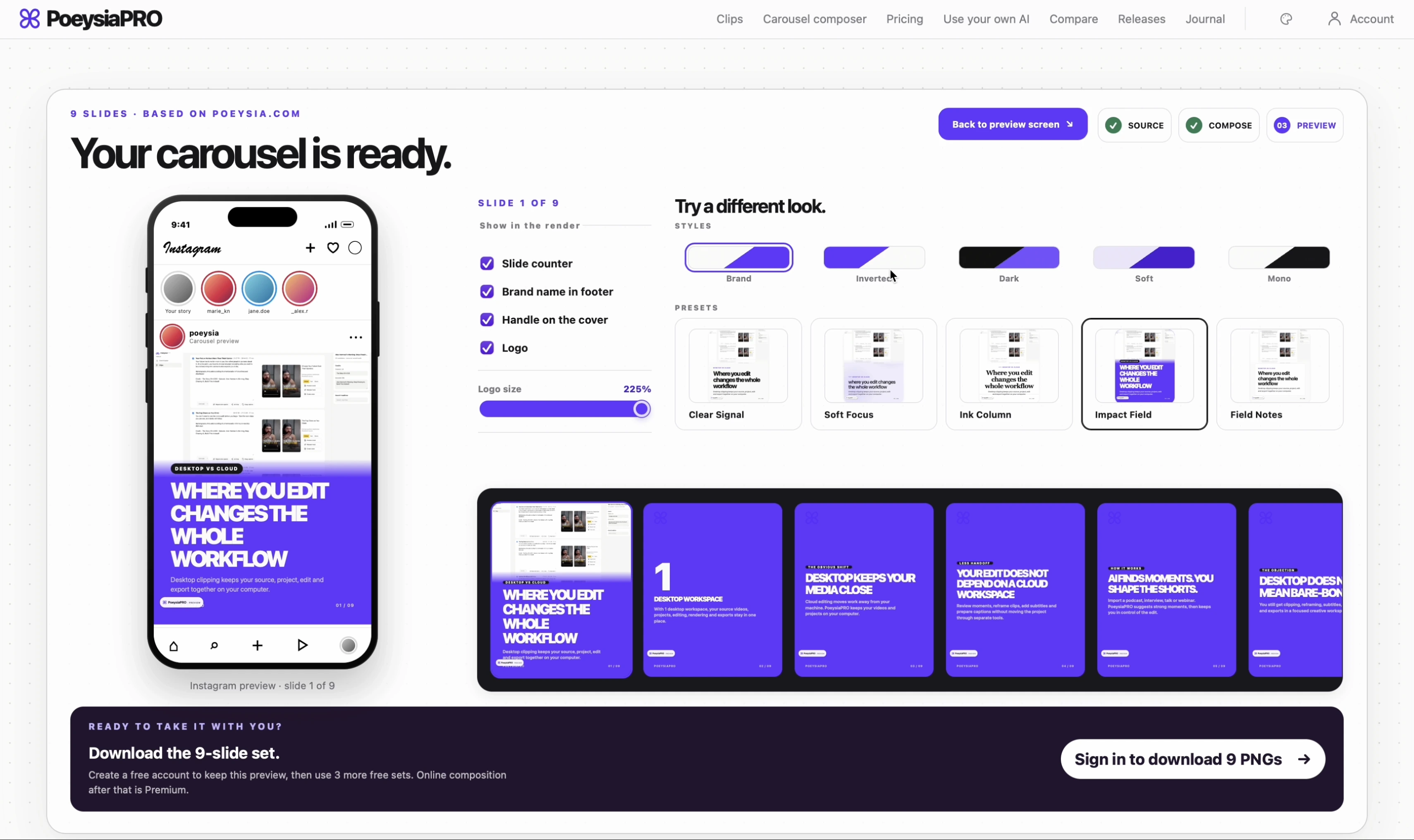
Carousel Composer now has nine visual directions: Clear Signal, Soft Focus, Ink Column, Impact Field, Field Notes, Handwritten, Offset Print, Corner Brackets and Label Frame. Combined with five palettes, they give the same story a much wider range of editorial treatments—from a precise grid or narrow magazine column to a poster, a scrapbook or a labelled image study.
A preset changes more than colour or type. It can reshape hierarchy, alignment, whitespace, image placement and the visual gesture on a slide. You still control the words, palette, image layout and image shape, and changing a preset does not overwrite those choices.
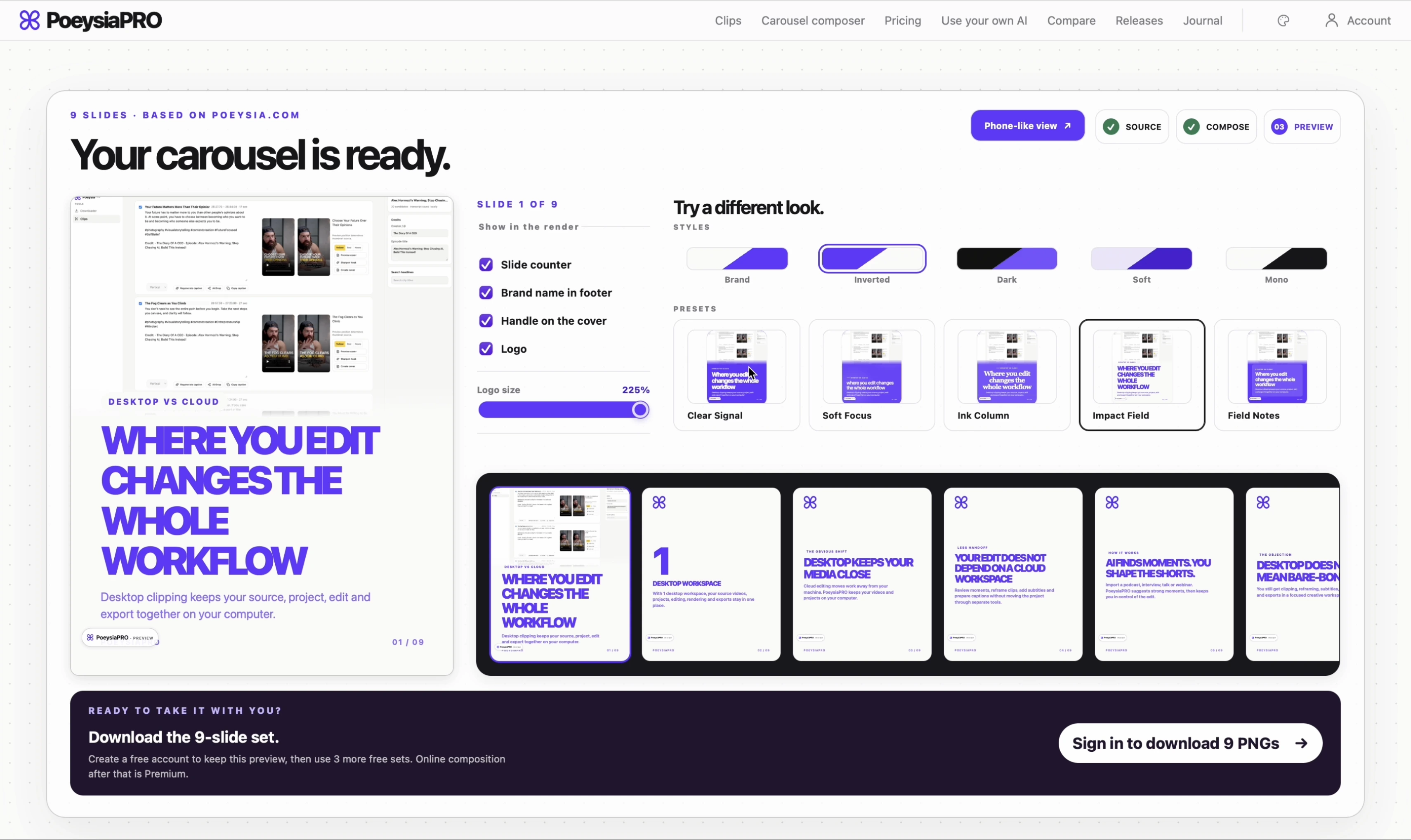
The style inspector lets you compare directions before applying them. The same renderer carries the result through the preview, canvas and exported slides, so what you choose is what you get in the finished carousel.
Clips projects are easier to return to
The Clips workspace now gives saved projects a browsable home of their own. See previews, select the project you want to continue and reopen it without starting over. Projects whose source video has moved can be relinked; removing a project from the list leaves its source and rendered files on disk.
That is the theme running through 0.3.0: make the next useful action easier to find, keep local work easier to manage, and give each creative task a tool with the right amount of interface around it.
And the mini tools are a new series, not a one-off. More small helpers will arrive regularly for the little jobs that should not slow down a day of creating.